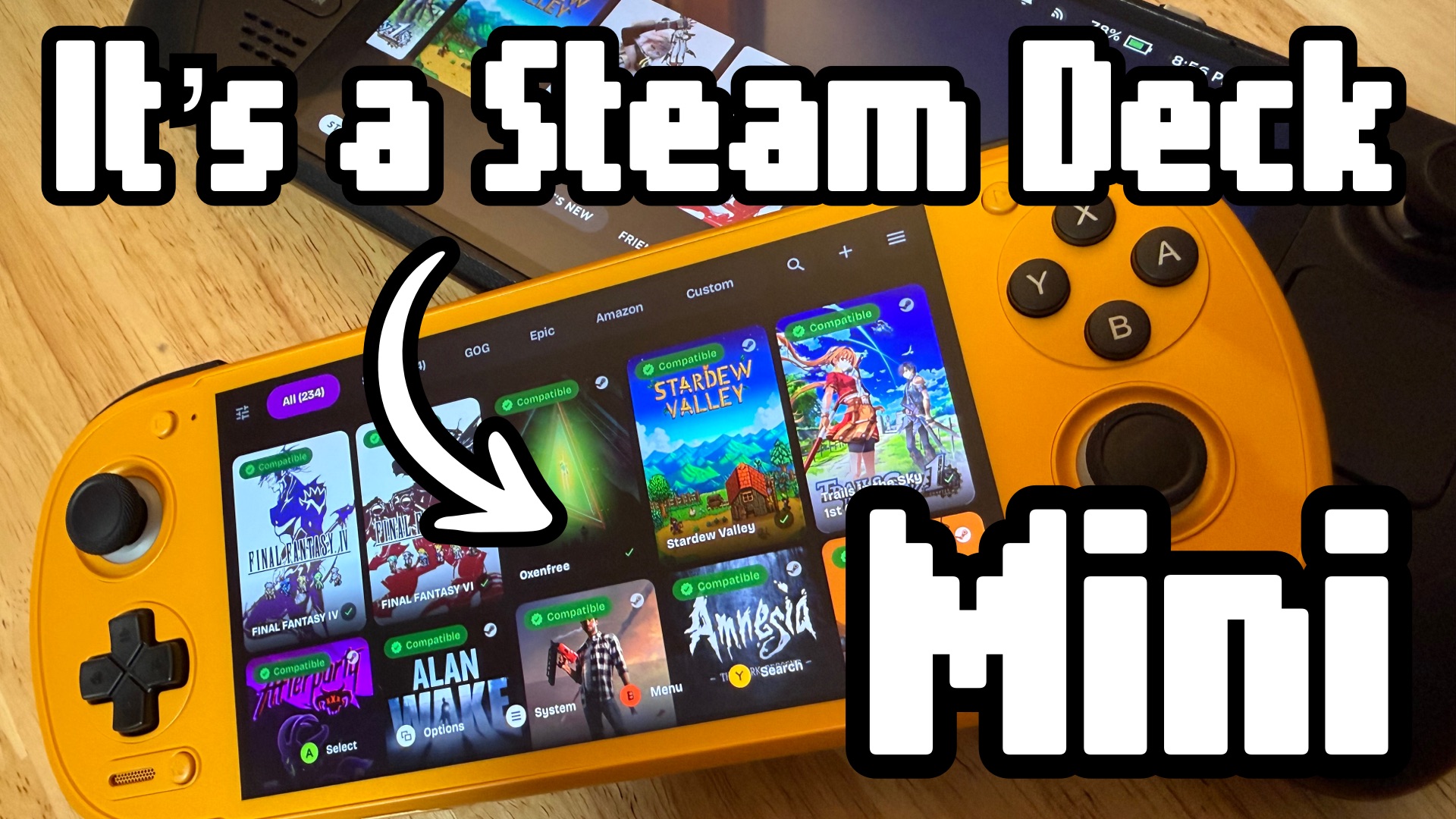

Android handhelds are getting serious. What started as a niche way to play retro games on the go has turned into a capable pocket gaming platform. One that can run your Steam library, emulate nearly anything, and soon, run Linux with Proton the way the Steam Deck does.
The Steam Deck Portability Dilemma
I love my Steam Deck. It changed how I think about PC gaming. The problem? I never actually take it anywhere. It’s big, the battery life is unpredictable with demanding games, and pulling it out in public feels like a commitment.
That’s the gap Android handhelds fill. Devices like the Retroid Pocket 6, AYN Odin 3, AYN Odin 2 Portal and AYN Thor have proven there’s real demand for something smaller, lighter, and cheaper. I finally gave one a serious shot, and I think I underestimated what the fuss is about.
What Can an Android Handheld Actually Do?
Retro Emulation
This is where they shine. From NES all the way up to Switch, modern Android handhelds can handle it. The ARM processors inside have gotten fast enough that demanding emulation — PS2, GameCube, Wii, even some PS3 — runs well on powerful devices.
Android Games
It’s an Android device, so your Play Store library comes along for the ride. Not every game is built with a controller in mind, but a surprising number work great.
PC Games via Gamenative and Gamehub
This is the part that surprised me. Apps like Gamenative and Gamehub let you connect your Steam, GOG, or Epic Games accounts and run compatible games on the device. It’s not magic. Some games work great right away and others need some fiddling. But when it works, it feels like magic. More on that below.
Steam Link
If you have a gaming PC at home, Steam Link lets you stream your full Steam library to the handheld over your local network. Works really well. Low latency, high quality.
Sideloading
These are Android devices, so you can install all kinds of apps outside the Play Store. That flexibility is a big part of the appeal.
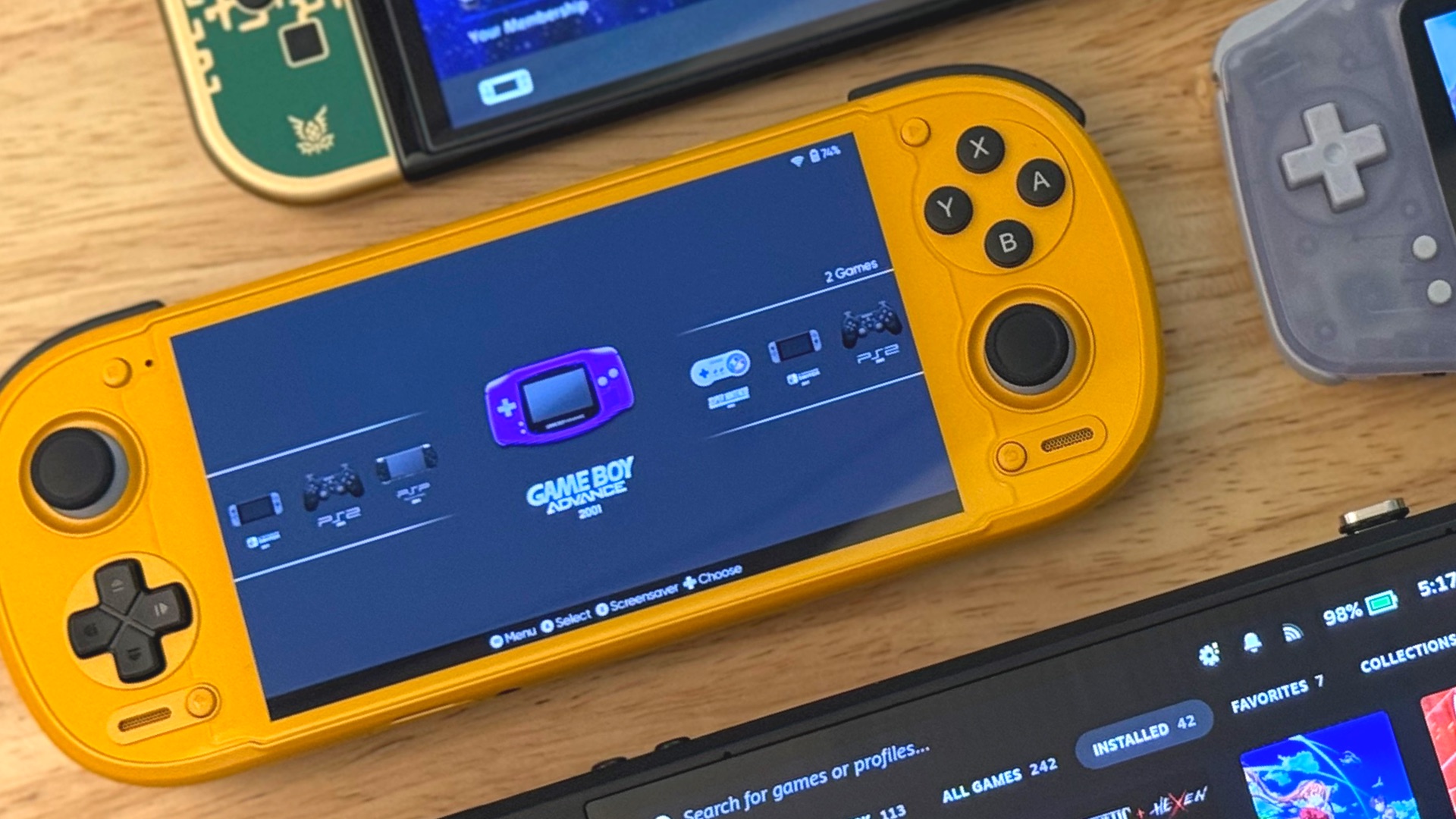
I Picked Up a Retroid Pocket 6
I got lucky and found a reseller on Target’s website with a few 12GB RAM models in stock. Quick shipping, and my Circle card knocked 5% off. Not the worst way to land one of the harder-to-find models.
My only option was orange with stick on top configuration. I love the look. No regrets.
The Screen is Great
It’s a 5.5-inch AMOLED panel running 1080p at 120Hz. Emulation shaders and black frame insertion look fantastic on it. Bright, saturated, punchy blacks. Once you’ve used OLED, it’s hard to go back to LCD.
My one complaint is that the screen is a bit too small for PC games. My eyes are not as young as they used to be, and reading text and seeing small details in PC games can be challenging on a 5.5 inch screen. Retro and indie games are perfectly legible with their chunky graphics. It’s a catch 22. I want small for portability, but I also want to be able to easily read text and see fine details. If you are playing PC games, you might want to consider a device with a larger screen, like the AYN Odin 2 Portal.
It Feels Solid
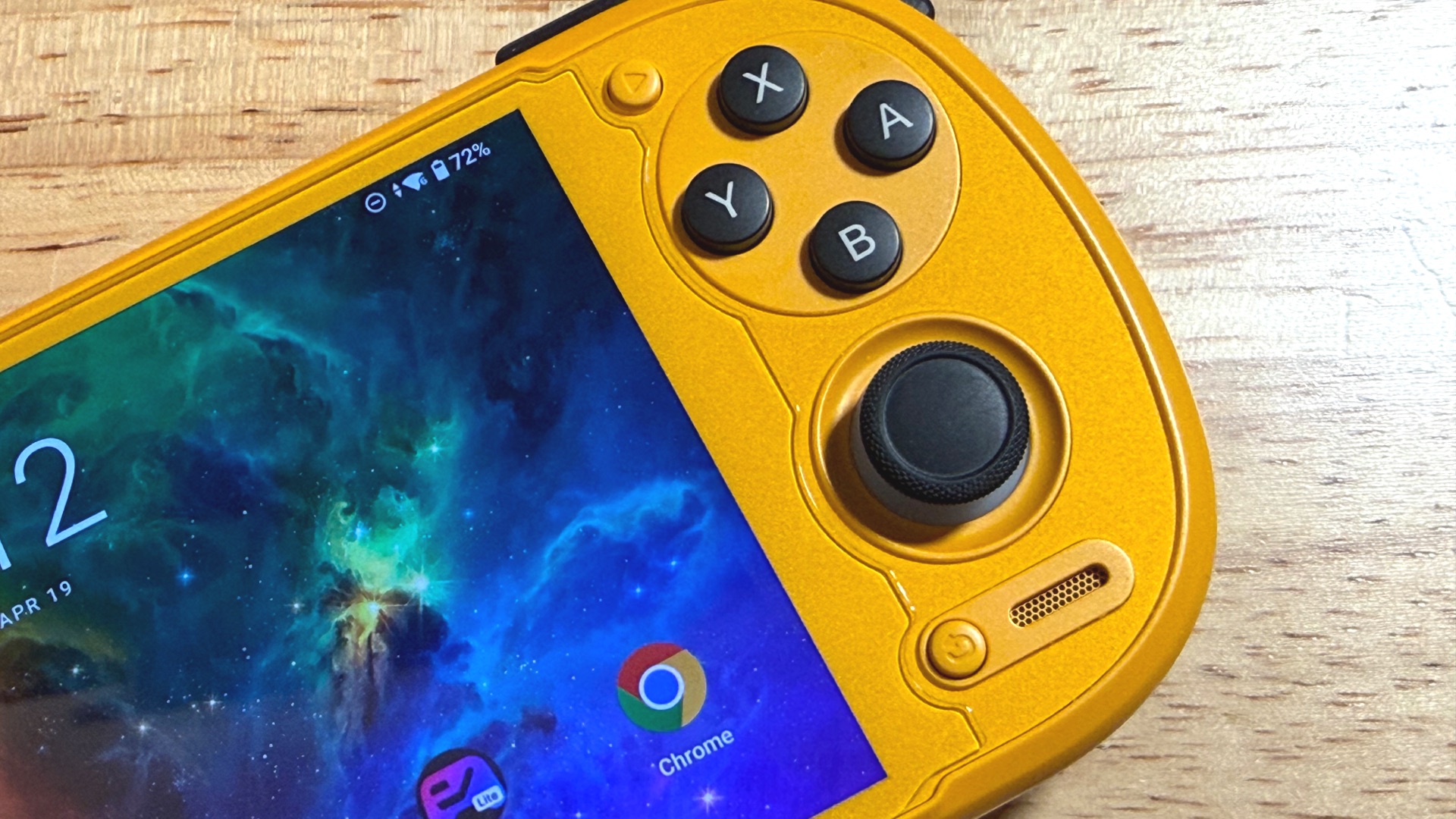
This thing has a premium build quality. The sticks are 3D hall sticks, so they shouldn’t have problems with stick drift. The d-pad is accurate and clicky. Face buttons have just the right amount of travel. Feels good in the hands. Even with larger hands, I didn’t feel the need for the grip accessory.
Layout Options
Unique to this handheld, you have the choice of d-pad on top or d-pad on bottom, like Playstation vs Xbox layouts. I got the d-pad on bottom option because it was my only option. I feel like that layout works best for more modern games. If I were mostly playing retro games, I’d get the d-pad on top. That top position is the sweet spot for where my thumb lands.
The Buttons
The face buttons feel solid with maybe a hair more travel than I’d like. They are labeled like a Nintendo controller and their layout can be changed in the OS settings, but I wish there was a way to swap the labels. I mostly keep it in Xbox layout mode and the labels don’t match.
Shoulder buttons click anywhere you push on them and are easy to use. The triggers have a little bit of resistance with analogue travel. No click at the end of the trigger, but you can set them in the OS settings to be digital, analogue, or both. They will accommodate almost any game.
Audio is Good
The speakers are front facing, which I prefer. It sounds OK and get’s loud enough, but headphones are a better option. You have the choice of a headphone jack or Bluetooth.
Battery Life Varies
Like any gaming device, it depends on what you’re running. A demanding PC game will drain it in an hour or two. Lower-end emulation can stretch to dozens of hours. Plan accordingly.
Fan Noise and Heat
This is like battery life. It depends on how you use it. There are modes to quiet the fan and lower performance so temps stay lower. I keep it on performance mode and let the fan auto adjust. Sometimes demanding games spin up the fan. It’s rarely noticeable when playing a game. It does spin up and get loud when downloading data at max speeds. I throttle it a bit to help.
It Works with ROCKNIX
The ARM processor in the RP6 is compatible with ROCKNIX (more on that below). I’ll probably flash it once the OS matures a bit more.
The Retroid Pocket 5 is Worth Considering Too
If you don’t want to wait on the RP6 or pay a reseller premium, the Retroid Pocket 5 is available on Amazon right now for around $220 with reasonable shipping.
It has the same 5.5-inch AMOLED 1080p screen, just capped at 60Hz instead of 120. Emulation runs great. Some of the more demanding PC titles may struggle or run at lower frame rates than the 6, but for most use cases it’s a very comparable device at a lower price.
Playing PC Games isn’t Perfect
Gamenative and Gamehub are impressive, but they’re not perfect.
About half the time, a game just works. Especially lightweight indie games. You launch it, it runs, everything is fine. The other half requires 30 minutes of trial and error — tweaking settings, adjusting compatibility options, hoping something works. Sometimes nothing works. Sometimes there’s one stubborn bug, like the game launching in windowed mode and refusing to go full screen.
ALT+ENTER toggles full screen, but the default Android on-screen keyboard won’t let you send that combo. I installed Unexpected Keyboard. It’s free, open source, and lets you send whatever key combination you need.
Before you spend an hour troubleshooting a game, check EmuReady. It’s a community database of games, devices, and settings that work. If someone’s already solved the problem you’re about to have, it’ll be there. If not, you can contribute if you find something new.
Just remember that Android handhelds aren’t a powerful handheld PC replacement. Lightweight and older games run great, but you aren’t going to get modern AAA titles, like Cyberpunk 2077, working well — if at all. These kind of devices are perfect for crushing your retro or indie game backlog at a fraction of the price.
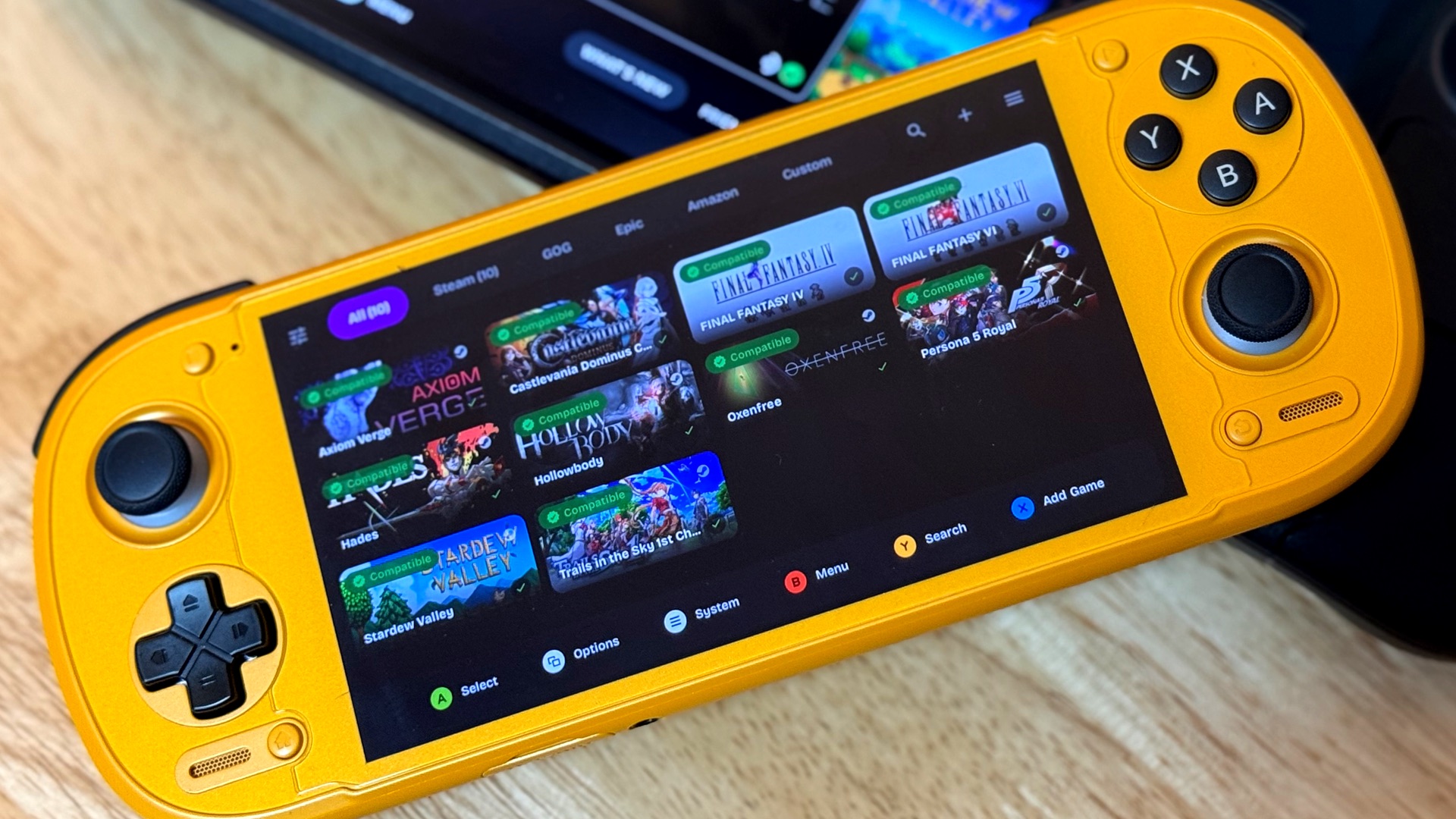
What’s Coming: ROCKNIX and Linux on ARM Handhelds
ROCKNIX is an immutable Linux distribution built specifically for handheld gaming devices. (Like Bazzite is for PCs.) It’s focused on retro emulation, but the team has just released a beta version for ARM handhelds like the Retroid Pocket 6. A stable release is coming.
Why does this matter? ROCKNIX opens the door to running Linux and Proton on these devices. The same combination that makes the Steam Deck so good at running PC games. No Android compatibility layer, no streaming workarounds. Just native Linux, with Proton translating Windows games. A lightweight gaming-focused UI, plug in your Steam account, and go.
The Steam Deck’s success has proven this system works. Valve even has the ARM-based Steam Frame VR headset in development, and once that’s out, you can bet the community will have Linux and Proton running on ARM devices even faster.
We’re still early. But the direction is clear, and it’s exciting.
Accessories That Help
Screen Protector
I got one that doesn’t extend into the face buttons so it doesn’t interfere with inputs. Small detail, but it matters to me.
Hard Case
Finding a good case was trickier than expected. I wasn’t able to get one from Retroid since I ordered my device from Target, so I ordered one from Amazon labeled as compatible with the RP6, but it didn’t fit. (It also smelled really bad!) I’d order direct from Retroid, but that $10 case becomes a $30 case after shipping and would take weeks to get to me.
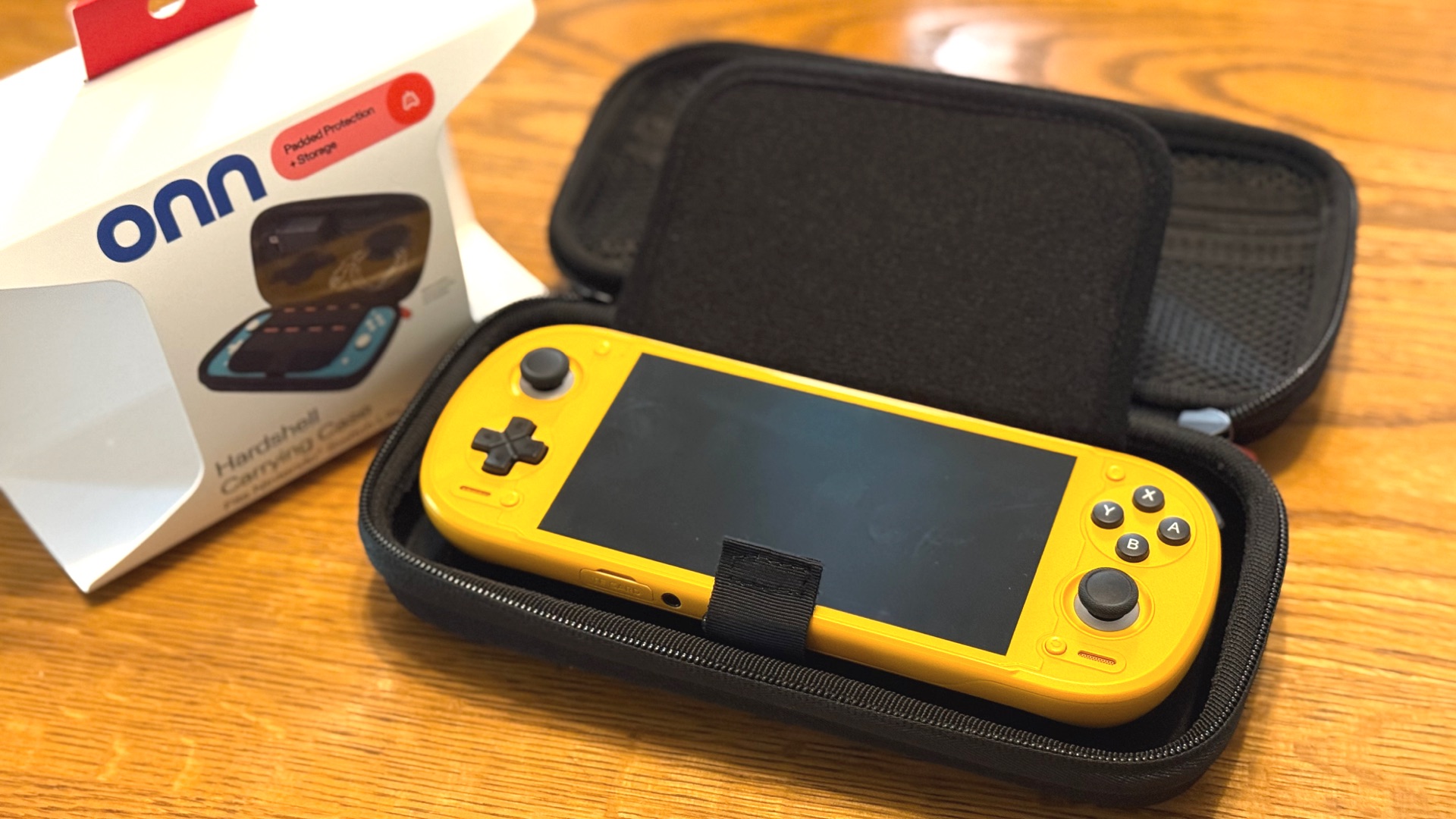
What ended up working perfectly: the ONN brand Nintendo Switch Lite hard case from Walmart. $15, fits great.
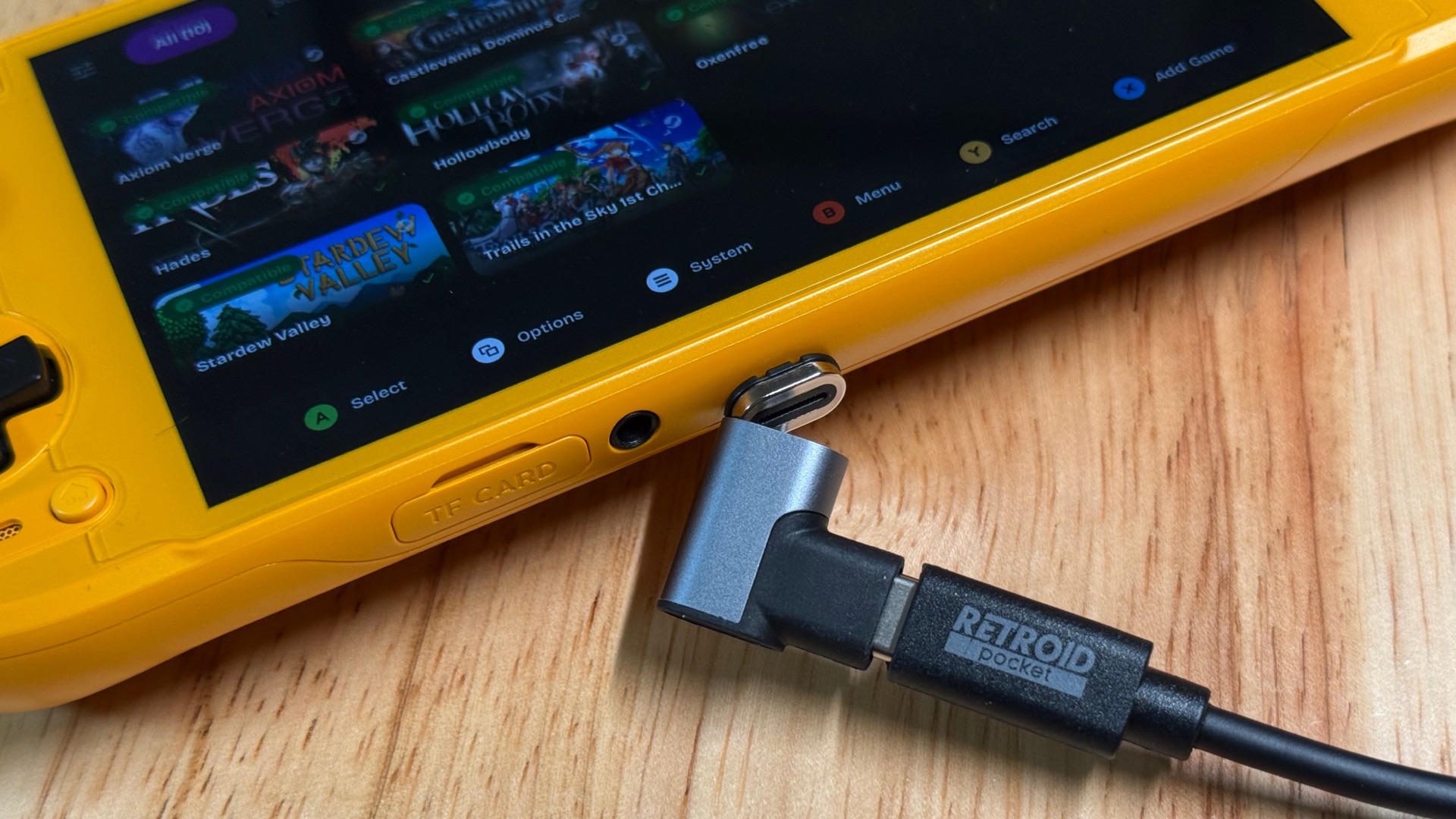
USB-C Magnetic Breakaway Connector
This one’s my favorite. The RP6 only has one USB-C port, and plugging and unplugging constantly puts wear on it over time. A magnetic breakaway dongle takes all the strain off the port. It also just feels satisfying to use.
It’s a Steam Deck Mini
That’s really what this is. With Steam cloud saves, I can pick up right where I left off on my Steam Deck or desktop. EmuDeck even has an Android beta with cloud save sync across devices for supported emulators, so save games follow you around. (Requires an active Patreon subscription for now, but it works.)
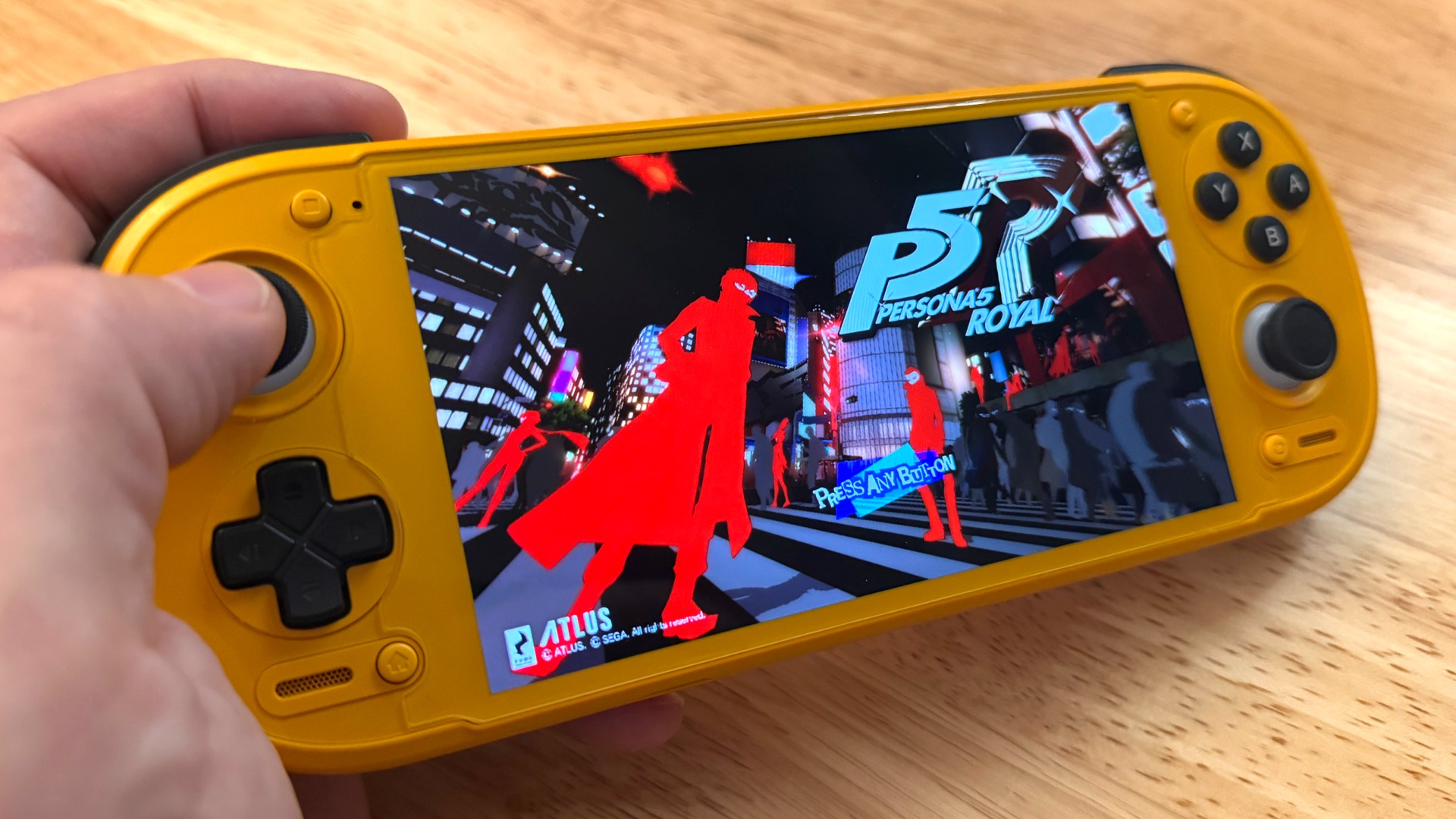
I never took my Steam Deck out because of its size. This device fixed that. It’s the right size to use when I’d otherwise be doom-scrolling my phone. I’ve been making real progress on Persona 5 Royal, a game that apparently never ends. Maybe I’ll finish it one day.
Is it for Everyone?
No. This thing requires tinkering. You supply your own ROMs, configure each emulator, and sometimes spend more time troubleshooting than gaming. If you want plug-and-play, stick with a Steam Deck or a Switch. But if you like messing with things, the Retroid Pocket 6 (or 5) is a capable handheld, and it’s only going to get better.


Start the conversation